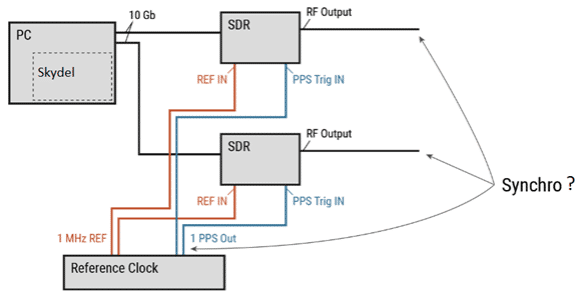
Setting a Timing Reference for Synchronizing GNSS Simulations
Tutorial
1. Hardware Connection
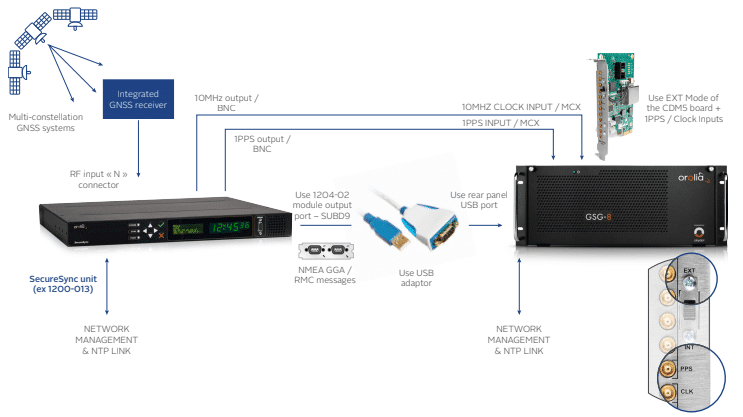
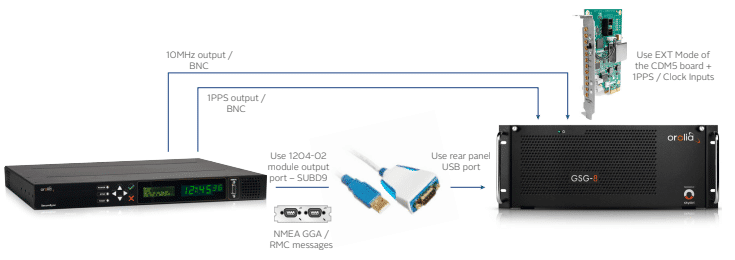
You need to connect 3 links from SecureSync to GSG8:
- 1PPS signal
- 10MHz signal
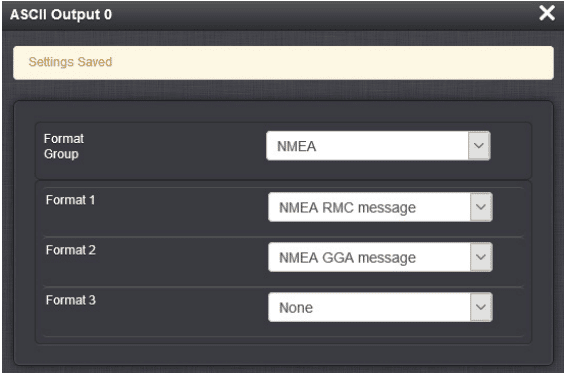
- RS232 – NMEA GGA & RMC serial Time Code messages
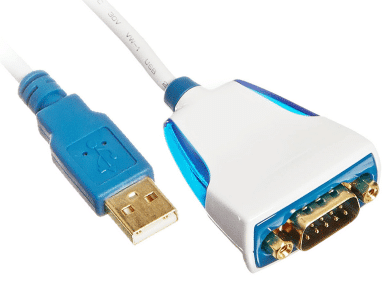
For connections between units:
Use a USB to SUBD serial adaptor (for distributing NMEA GGA & RMC serial Time Code messages)
Example:
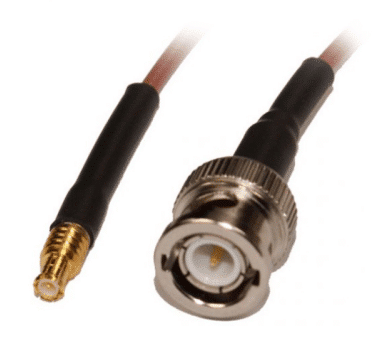
Use BNC / MCX coaxial cables ( 2 cables for 1PPS and 10MHz signals)
2. SecureSync Side:
Set the ASCII output PORT (J1 port of a 1204-02 module for example):
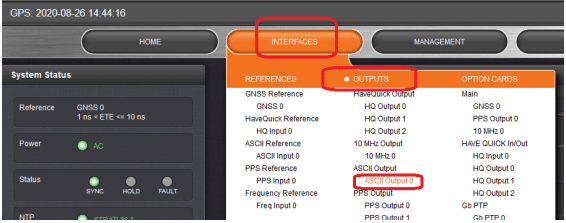
Set both RMC and GGA as mentioned in the following example:
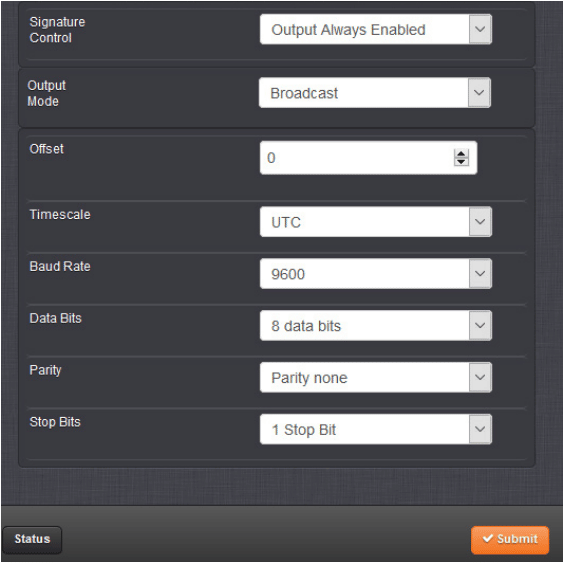
Offsets of 1PPS and RS232 signals can be adjusted if needed through GUI of SecureSync.
3. GSG8/Skydel Side:
Global Skydel Menu Setting:
Setting preference to get NMEA link:
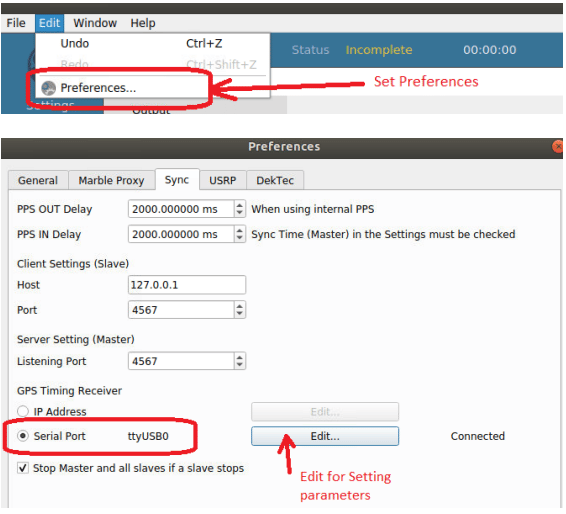
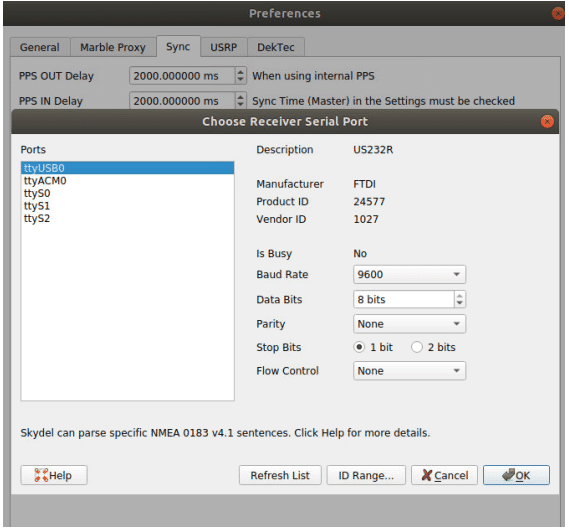
Configuration setting:
Setting Time to your scenario:
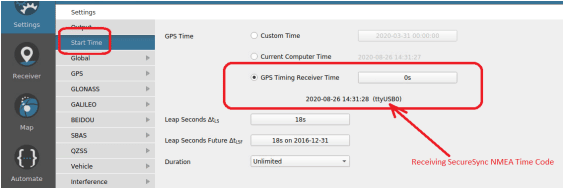
Hardware setting:
Set the CDM5 Rear panel selector to EXT for taking in account the incoming 1PPS and 10MHz clock signals.
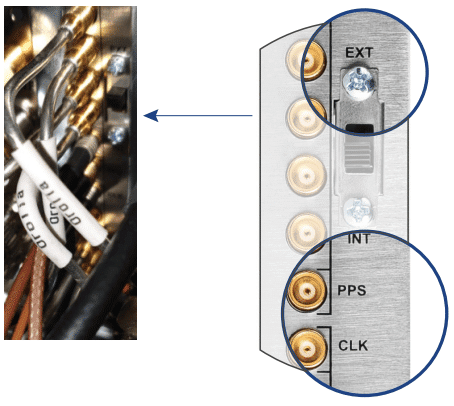
General cabling:
4. How to test if my synchronization is consistent?
In order to check synchronization result, please refer to our blog: Timing calibration of a GNSS receiver.